
Part 2 of the Website Series. In Blog 01, we covered why your business needs a front door. This is how you figure out what's supposed to be behind it.
"I need a website."
It sounds like a clear enough request. It isn't.
Say it to a consultant and they picture a profile page. Say it to a manufacturer and they picture a catalogue. Say it to a D2C brand and they picture an online store. Say it to a marketing team and they picture a lead machine. Say it to a software team and they picture logins and a dashboard.
Ask five people what "a website" means and you'll get five different products — and none of them will feel wrong to the person imagining it.
So before you ask anyone to build you a website, you need an answer to a sharper question: which one do you actually need?
The Screen Is Only the Visible Part
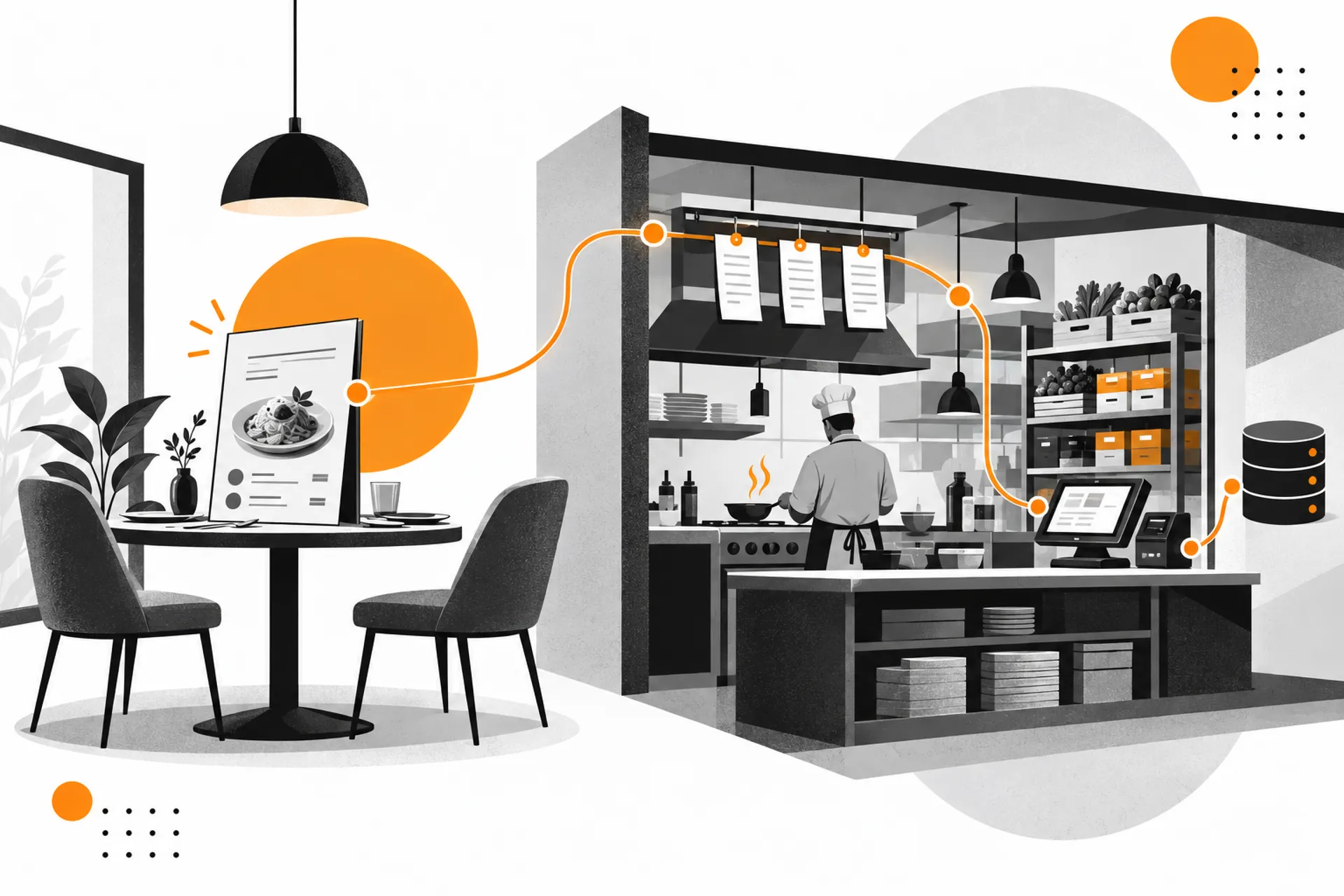
Think about a restaurant.
You walk in, sit down, look at a menu. That's the entire experience from where you're sitting.
Behind that dining room: a kitchen, an inventory system, a billing setup, order tickets moving between stations, staff schedules, supplier deliveries. You never see any of it. You just see the table and the food that arrives.
A website works the same way.
What a visitor sees: pages. Images. Text. Buttons. A form.
What can be running behind it: content. Data. A database. Business rules. Admin tools. Integrations. Automation.
The screen is only the visible part.
You don't need to understand the machinery. But it helps to know it exists — because it's the machinery, not the menu, that decides what a website actually costs and what it can actually do.
A Website Is Not a Category. It's a Job.
Here's where the word "website" starts getting misleading.
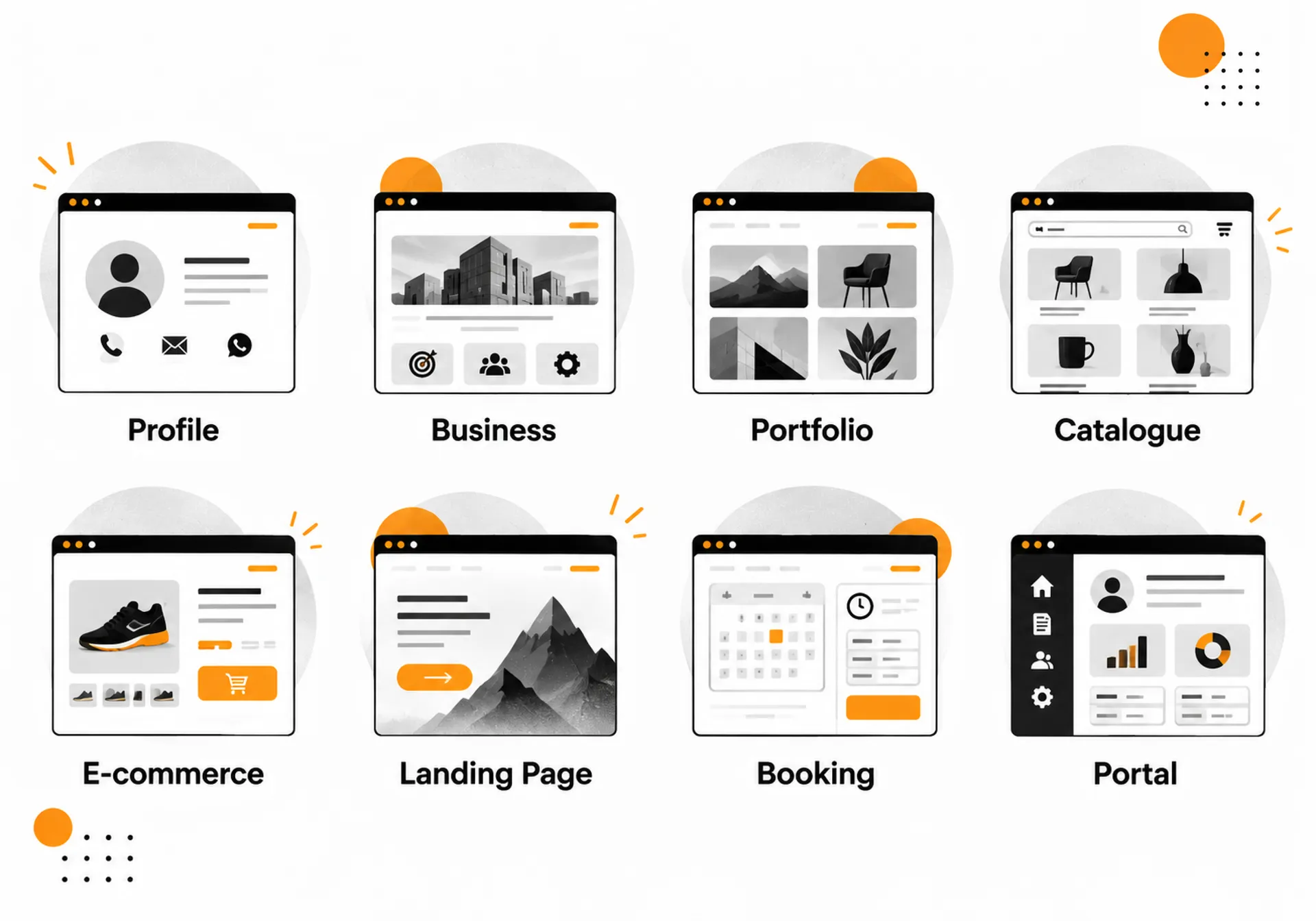
A consultant's profile page. A manufacturer's product catalogue. An online store. A clinic's booking system. A client portal with logins and dashboards.
All five sit behind a browser. All five get called "a website."
None of them are doing the same job.
So the real question was never "what does a website cost" or even "what is a website." It's simpler than that, and harder to skip: what does yours need to do?
Go through this list. One of these is probably you.
If you just need to exist online
This is a profile / presence website — a digital visiting card. Company name, what you do, how to reach you, maybe a WhatsApp button.
Not every business needs a big website. Some just need to be findable.
Picture this: A consultant only needs five pages. Home. About. Services. Results. Contact. That's it. Five pages is enough — if every single one has a job to do.
If you need people to trust you before they call
This is a business / corporate website — home, about, services, case studies, team, contact. Built to answer the question a prospect is already silently asking: can I trust this company?
A 5-page website that does its job well beats a 30-page website that doesn't.
If you need people to see your work, not just read about it
This is a portfolio / showcase website — for designers, architects, photographers, agencies. Projects, galleries, before-and-afters. It's proof, not promises.
If you have a lot to show but nothing to sell online
This is a catalogue website — 50 products or 500, with filters, details, and a "request a quote" button. No cart. No checkout.
Picture this: A manufacturer with 400 industrial machines doesn't need online checkout. What they actually need is a catalogue that helps a buyer find the right machine and request a quotation. That's not e-commerce. That's a very good catalogue doing exactly its job.
Don't confuse showing with selling.
If people need to actually buy
This is an e-commerce website — product, cart, checkout, payment, order, delivery. The full retail machine.
If you're running one ad for one offer
This is a landing page — one visitor, one message, one action. Not a "small website." A focused one, built to remove every distraction between the click and the action.
If people need to book something with you
This is a booking / enquiry website — a salon, a clinic, a consultant. The site stops saying "here's who we are" and starts saying "here's what you can do with us right now."
If your team needs logins, data, and dashboards
This is a client portal or web application — a CRM, an HRMS, an internal dashboard. And here's the line worth remembering:
Sometimes what a business calls "a website" is actually software that just happens to run in a browser.
But There's Another Layer
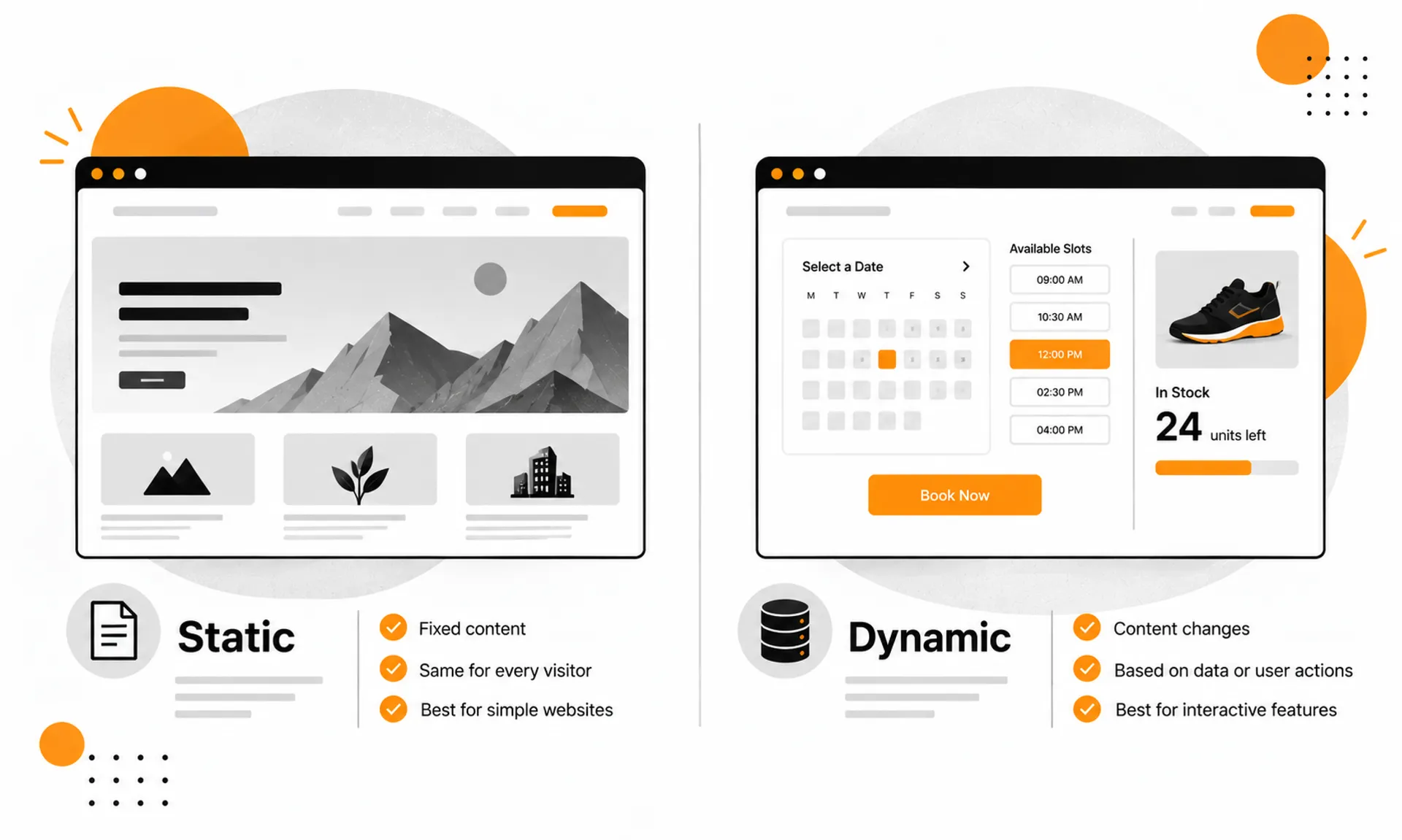
Two websites can look almost identical — same layout, same colors, same buttons — and still work completely differently behind the screen.
This is where static and dynamic websites come in. And this is deliberately coming after the jobs, not before — because most business owners don't need to think about this until they already know what they want the site to do.
Static websites
A mostly predefined website. The pages and content are prepared in advance and served as-is to every visitor.
Good for: company profiles, simple portfolios, brochure sites, straightforward landing pages.
Static doesn't mean cheap. It doesn't mean basic. A beautifully designed static website can outperform a clunky dynamic one, easily.
Dynamic websites
A dynamic website changes its content or behaviour based on data, user actions, time, conditions, or business rules.
Examples: a personalised dashboard. Live booking availability. Product inventory that updates itself. Search and filter results. Data pulled from another system.
And no — dynamic doesn't simply mean "has a login."
A website can be dynamic without a single user account. A booking calendar showing real-time availability is dynamic. So is inventory that updates the moment something sells out.
At the same time, a website can have a blog and a CMS behind it and still mostly behave like a simple content website.
This is where a common assumption breaks: adding a CMS doesn't automatically make a website "dynamic."
A CMS lets your team manage content. Admin writes a post, it gets stored, the website displays it. That's content management.
Dynamic behaviour looks different: a user logs in, the system checks their data, calculates something specific to them, and shows a personalised result.
Same browser. Completely different machine.
The Page Is the Storefront. The System Is the Business.
This is where a website starts becoming something bigger — a system.
- A basic setup looks like this: Website → Contact Form → Email.
- A slightly more advanced one: Website → Form → Database → Admin Dashboard → Sales Team.
- A booking-enabled site: Website → Booking → Database → Calendar → WhatsApp/Email → Staff.
- An e-commerce site: Website → Cart → Payment → Order → Inventory → Shipping → Customer.
- A client portal: Website → Login → Database → Permissions → Dashboard → Actions.
- Mini Framework — Behind the Screen: Visitor → Website → System → Business
The page is the storefront. The system behind it is the business.
The design you see is often the smallest part of what you're paying for. The real cost — and the real value — usually lives in the machinery you never notice.
And Then There's One More Layer: PWA
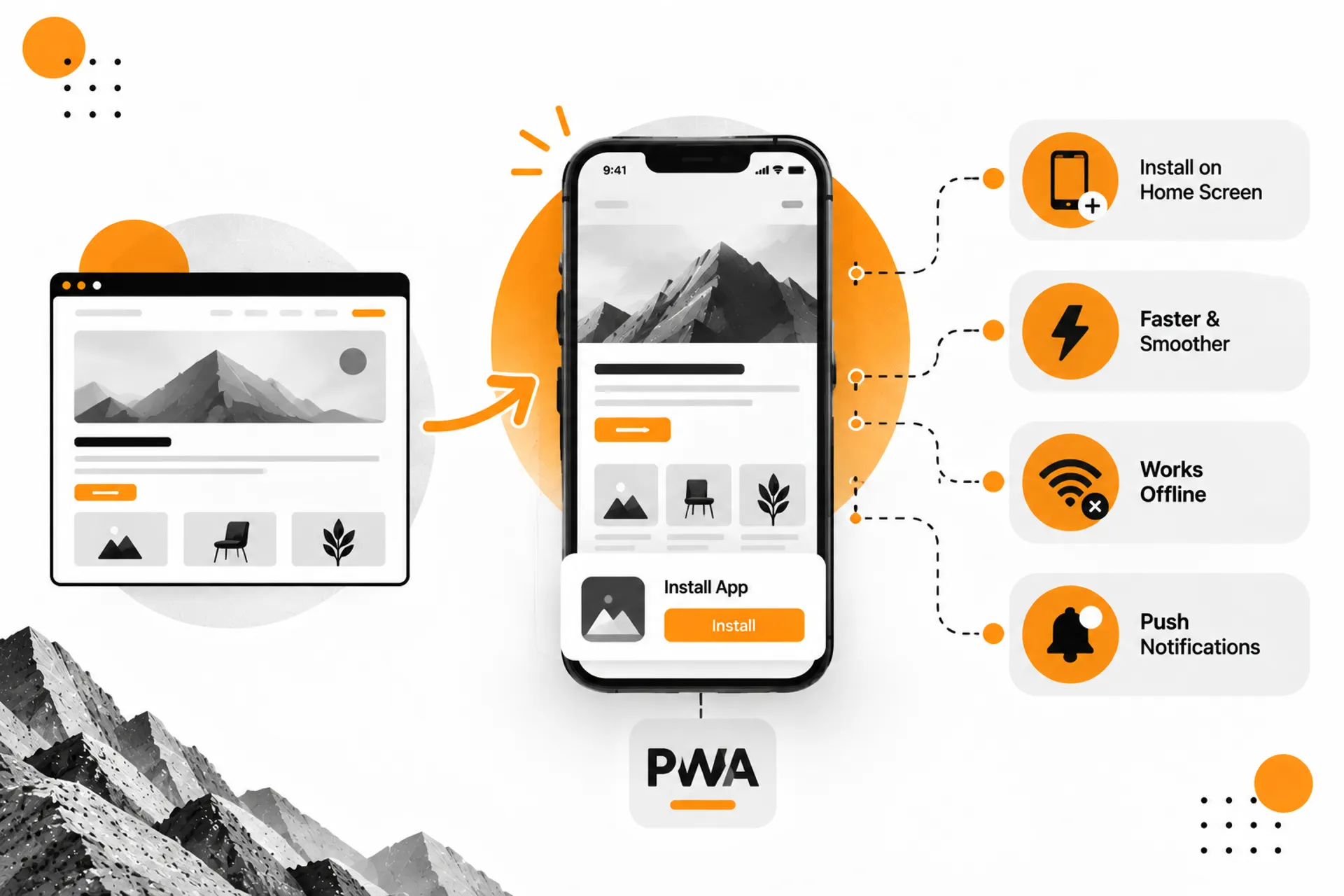
Quick one, so it doesn't get lost.
PWA stands for Progressive Web App. In plain language: a website built to behave more like an app.
It can be installed on a phone's home screen. It can feel faster and smoother than a standard mobile site. In the right setup, it can work offline or send push notifications.
It isn't a separate "type" of website sitting next to catalogue or e-commerce. It's a different way of experiencing a website you may already be planning.
Now We Can Talk About How It's Built
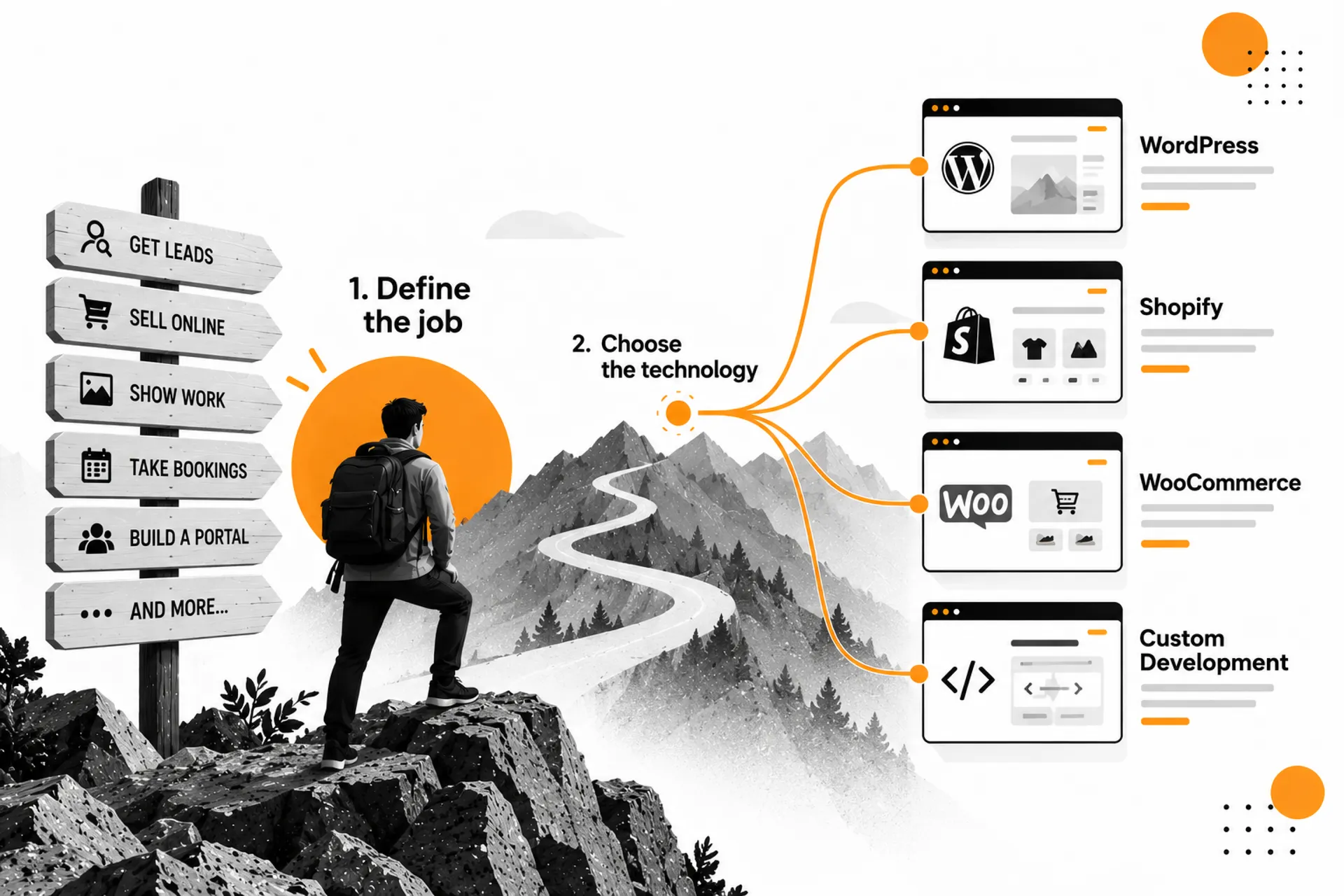
Notice something: this entire article has gone by without mentioning WordPress, Shopify, or custom code. That's on purpose.
Choose the job first. The technology comes later.
WordPress — strong for content-driven business websites and CMS-managed workflows.
Shopify — built specifically for commerce.
WooCommerce — e-commerce functionality layered onto WordPress.
Custom development — for when the requirement doesn't fit neatly into an existing platform, or when you need deeper control, scale, or integrations.
These aren't competing answers to "which one's the best?" They're different ways of building whatever job you've already decided your website needs to do.
Find Yourself in This Table
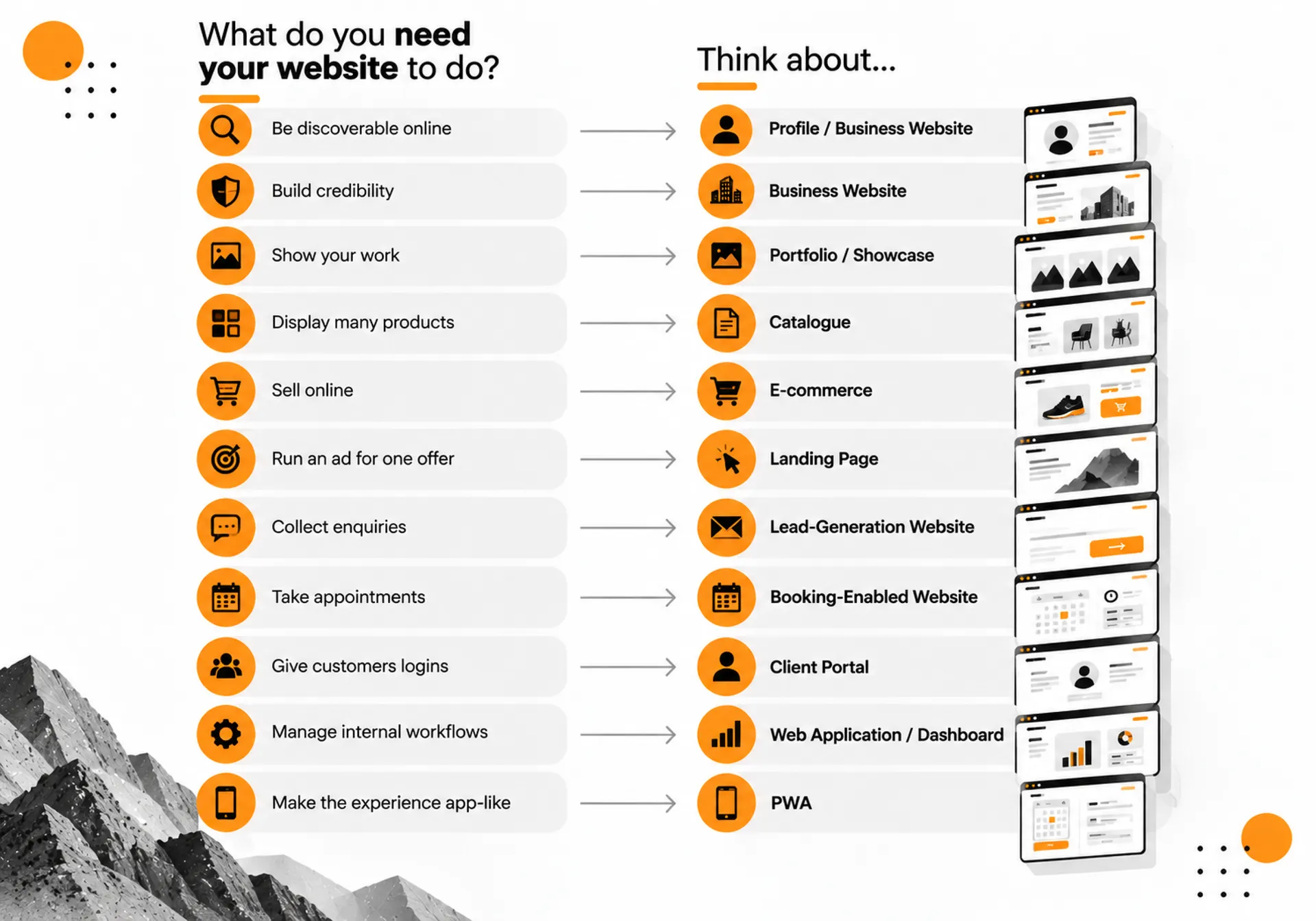
If you need to… | Think about… |
Be discoverable online | Profile / Business Website |
Build credibility | Business Website |
Show your work | Portfolio / Showcase |
Display many products | Catalogue |
Sell online | E-commerce |
Run an ad for one offer | Landing Page |
Collect enquiries | Lead-Generation Website |
Take appointments | Booking-Enabled Website |
Give customers logins | Client Portal |
Manage internal workflows | Web Application / Dashboard |
Make the experience app-like | PWA |
Don't start with "which website should I buy?" Start with "what do I need my website to do?"
Start Here
So — what kind of website do you actually need?
Not "how many pages." Not "how much does it cost." Just: what does it need to do for your business?
A profile. A trust-builder. A catalogue. A store. A booking system. A portal. Or some combination stitched together behind one screen.
Once you can answer that in one sentence, you're no longer shopping blind.
There's one problem left.
What should you actually know before you sit down to build it?
That's next.



Comments